How to Store Secrets
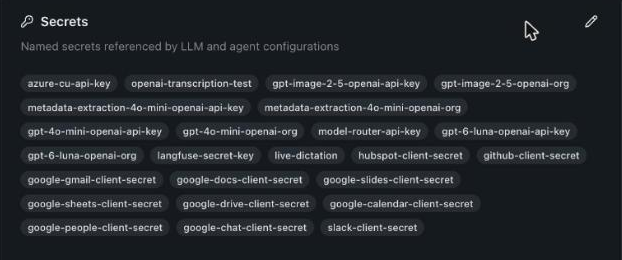
Store each API key, client secret or token once as a named tenant secret, and let LLM, tracing, agent and MCP server configurations refer to it by name. Rotating the key is then one edit.
Add or rotate a secret
- Open Tenants → <tenant> and click the pencil on the Secrets card.
- Click Add Secret, enter a Name (for example
openai-api-key) and the Value. - Click Save Changes.
To rotate, click Overwrite next to the secret's value, enter the new one and save. Every configuration that uses the secret gets the new value.
You can also create a secret where you need it: a credential field in LLM Configurations or MCP Servers offers Pick a stored secret or New secret…. A new value is saved to the tenant's secrets under the name shown in Stored as.
What you see
Each secret lists the configurations that use it under Used by. Values are encrypted at rest and never shown again after saving; the form shows Value configured.
Pitfalls
- A secret in use cannot be deleted. Remove the reference first; the delete button stays disabled until then.
- A configuration that names a secret the tenant does not have fails to save with
Secrets <name> are referenced but not defined. - Renaming a secret does not rename its references.
How developers refer to secrets in configuration files and custom dependencies is in Secrets.