How to Set Up Dictation
Dictation adds a microphone button to the chat message box and the search field. Users speak, and the text appears in the field as they talk. A realtime transcription model at OpenAI or Azure OpenAI does the transcribing.
Add a transcription model
- Open Tenants → <tenant> and click the pencil on the LLM Configurations card.
- Click Add LLM Configuration, pick OpenAI or Azure OpenAI as the Vendor, and set Model Type to Realtime Transcription.
- Enter the Model Name. On Azure it is the deployment name.
- Optionally fill in Languages: comma-separated hints such as
nl, en.whisper-1and thegpt-4otranscribe models take one hint. Leave it empty to let the model detect the language. - Click Save Changes.
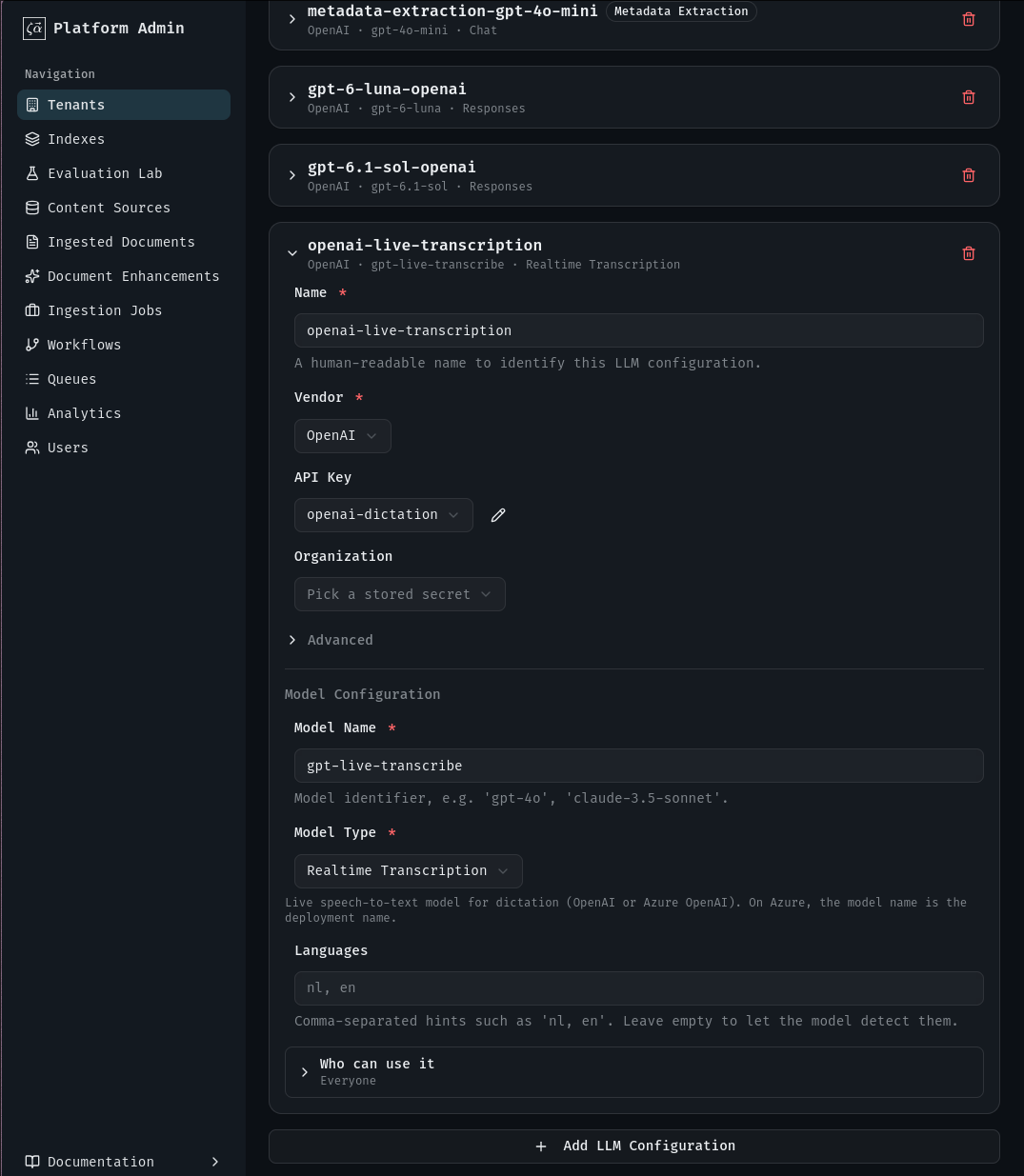
The other fields are the same as for any model, see Managing LLM models.
Turn dictation on
- Click the pencil on the Features card.
- Under Dictation, set Status to Active and pick the configuration from the previous step as Transcription Model.
- Click Save Changes.
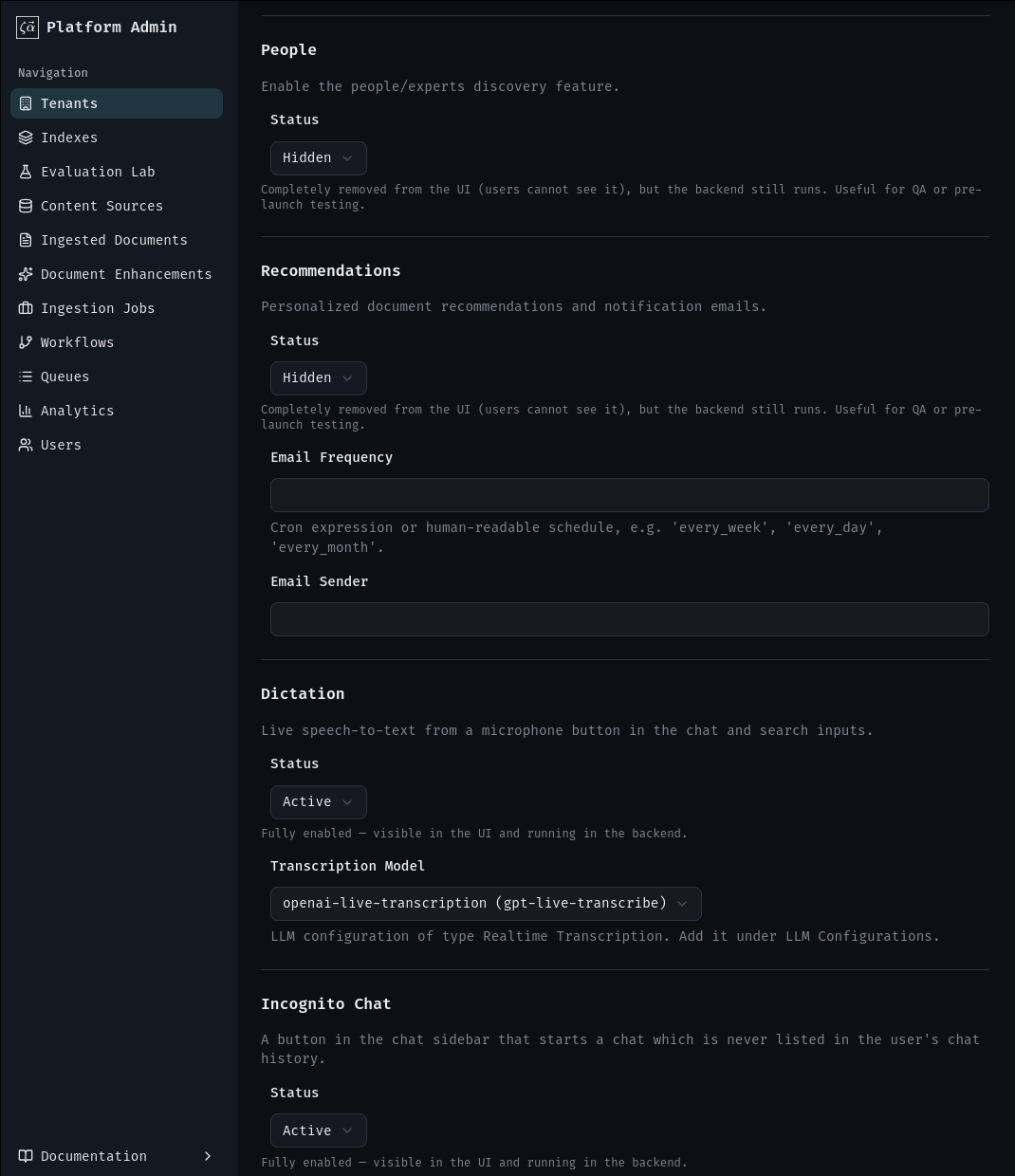
Disabled shows the button greyed out; Hidden removes it. See Turn chat features on or off.
What users get
The microphone button sits in the chat message box and the search field. Clicking it starts dictation; the browser asks for microphone access the first time.

While listening, a waveform shows next to the button and the text appears in the field. Dictated text is added after what is already there.

Dictation stops when the user:
- clicks the button again,
- sends the message or runs the search: the final transcript is sent, not the partial text on screen,
- gets no transcribed words: none in the first 10 seconds, or none for 7 seconds after the last ones. Background noise does not keep dictation running; only transcribed words do.
A session ends after 5 minutes. Errors, such as a denied microphone, show as a message at the bottom of the screen.
Pitfalls
- Users who block the microphone in the browser have to allow it in the browser's site settings; the Navigator cannot ask again.
- Changes take a moment to show, see When changes take effect.