How to Connect HubSpot
🔧 Tools · MCP
The HubSpot Remote MCP server at https://mcp.hubspot.com exposes CRM records, activities, and campaign analytics as agent tools.
1. Create an MCP Auth App in HubSpot
- Sign in to the target HubSpot account and open Development → MCP Auth Apps. Click Create MCP auth app.
- Fill in:
- App name — e.g.
Zeta Alpha MCP. Shown on the consent screen. - Redirect URL —
https://api.zeta-alpha.com/v0/service/mcp/oauth/callback.
- App name — e.g.
- Copy the Client ID and Client secret from the app details page.
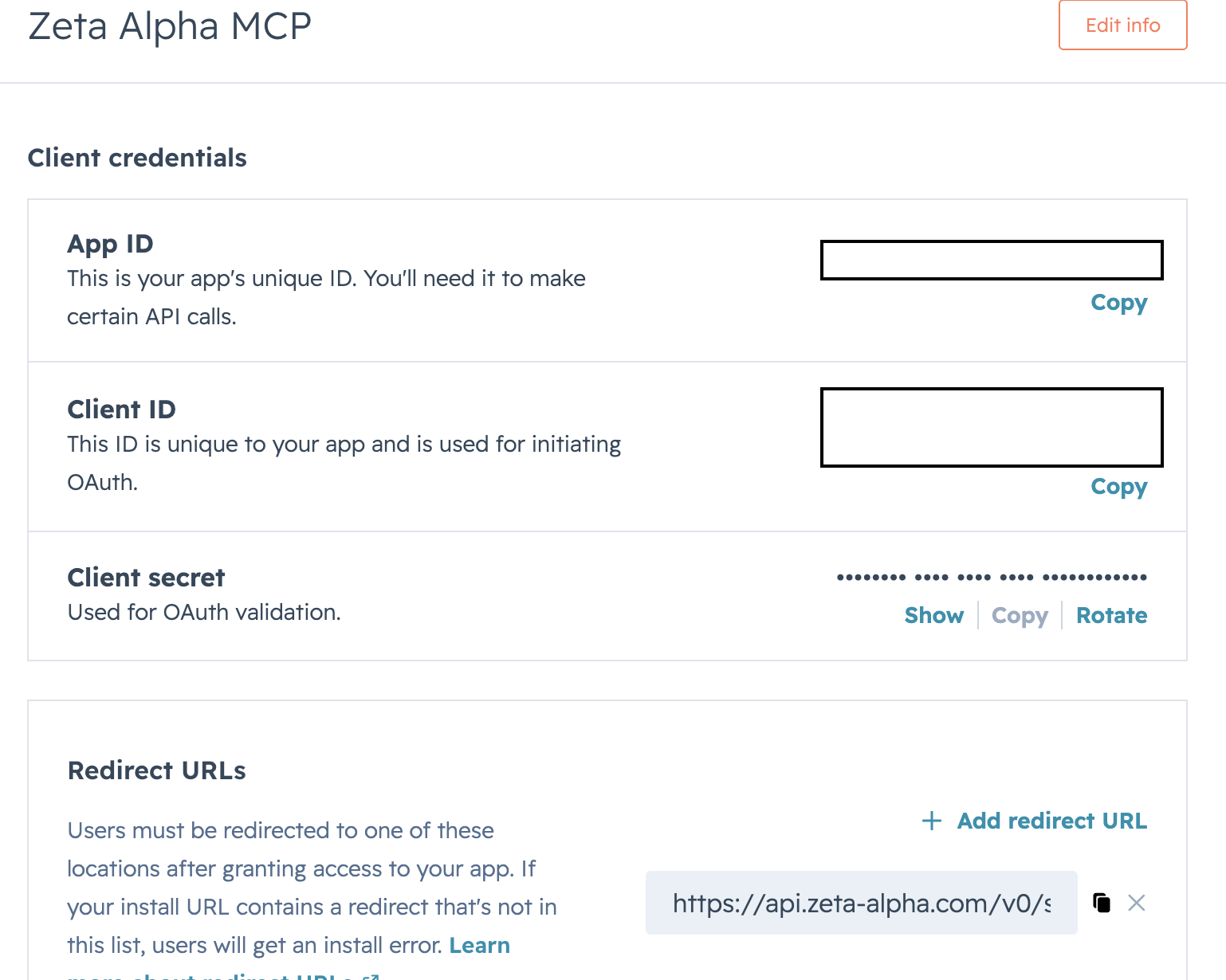
No scope picker
MCP auth apps have no scope list. At authorization time HubSpot derives scopes from the server's available tools and the user's own permissions. When HubSpot adds new tools, users must re-authorize to grant them.
2. Add the Server to the Agent
In Platform Admin, open the agent's Configuration and add this entry to mcp_tools_provider_configuration.servers (see Connecting MCP Servers):
{
  "transport": "streamable-http",
  "transport_config": {
    "streamable_http": {
      "url": "https://mcp.hubspot.com/",
      "name": "hubspot",
      "timeout": 30,
      "oauth_client": {
        "server_url": "https://mcp.hubspot.com/",
        "client_id": "<HubSpot Client ID>",
        "client_secret": "<HubSpot Client secret>",
        "client_metadata": {
          "client_name": "Zeta Alpha MCP",
          "grant_types": ["authorization_code", "refresh_token"],
          "response_types": ["code"],
          "token_endpoint_auth_method": "client_secret_post",
          "redirect_uris": [
            "https://api.zeta-alpha.com/v0/service/mcp/oauth/callback"
          ]
        }
      },
      "terminate_on_close": true
    }
  }
}
scope in client_metadata is ignored.
3. Connect from the Navigator
In a new chat, ask the agent for something that needs HubSpot (e.g. "List my latest HubSpot deals") and follow the Authorize prompt — see Connecting from the Navigator.
Troubleshooting
| Symptom | Cause |
|---|---|
redirect_uri_mismatch after consent | redirect_uris doesn't match the Redirect URL on the MCP auth app byte-for-byte. |
insufficient_scope at tool-call time | User granted narrower permissions than the tool needs, or HubSpot added new tools. Re-authorize. |
| Activity tools (calls, emails, meetings, notes, tasks) return nothing | Account has Sensitive Data enabled, which blocks activity objects from MCP. |