Connecting MCP Servers
Hosted MCP servers (HubSpot, GitHub, Google, Slack, …) all use the same streamable_http transport with an oauth_client block (see MCP Tools for the schema). What differs per provider is the one-time setup on their side: where to register the OAuth app, which scopes exist, and how strict they are about the redirect URI.
Every provider guide in this section follows the same three steps:
- One-time setup on the provider — usually registering an OAuth app; providers that support Dynamic Client Registration (DCR) register the client automatically instead.
- Add the server to the agent's Configuration in Platform Admin.
- Connect from the Navigator chat as an end user.
Steps 2 and 3 are identical across providers — they are explained once below.
The Platform Callback URL
Every provider must redirect back to:
https://<your-platform-api-host>/v0/service/mcp/oauth/callback
For Zeta Alpha SaaS that is https://api.zeta-alpha.com/v0/service/mcp/oauth/callback. On-prem installations use the API host configured for the tenant.
Google and Slack treat …/callback and …/callback/ as different URIs. Whatever you register on the provider must match the value in redirect_uris byte-for-byte.
Adding a Server to an Agent
Open the agent in Platform Admin (Tenant → Agent & LLM Overview → [your agent], see Managing Agents in the Platform) and edit its Bot Configuration. Switch the editor to JSON mode and add the provider's entry under mcp_tools_provider_configuration.servers:
{
  "mcp_tools_provider_configuration": {
    "enabled": true,
    "servers": [
      { /* HubSpot entry — see how-to-connect-hubspot.md */ },
      { /* GitHub entry — see how-to-connect-github.md */ }
    ]
  }
}
Save the agent. The provider guides below give the exact JSON snippet to paste for each server.
Connecting from the Navigator
MCP OAuth tokens are stored per user, not per tenant — every end user authorizes the integration themselves the first time they need it.
-
Open the Navigator (e.g.
https://search.zeta-alpha.com/) and start a new chat. -
Select the agent you just configured.
-
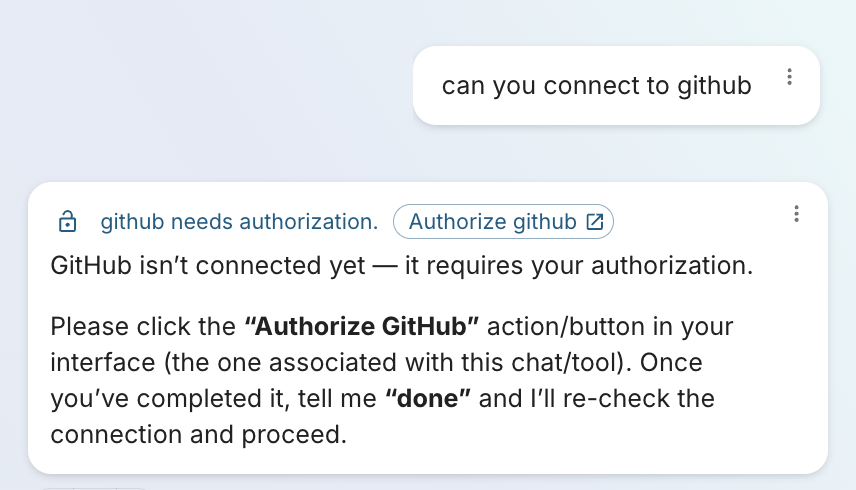
Ask the agent to connect to the server — e.g. "can you connect to github" — or just ask it to do something that needs the tool. Either way the agent detects it isn't authorized yet and replies with an Authorize <server> link:
-
Click Authorize <server>. A new tab opens on the provider's consent screen — sign in and approve the requested scopes. The provider redirects back to the platform callback URL and the tab can be closed.
-
Reply
donein the chat. The agent re-checks the connection and proceeds with the original request.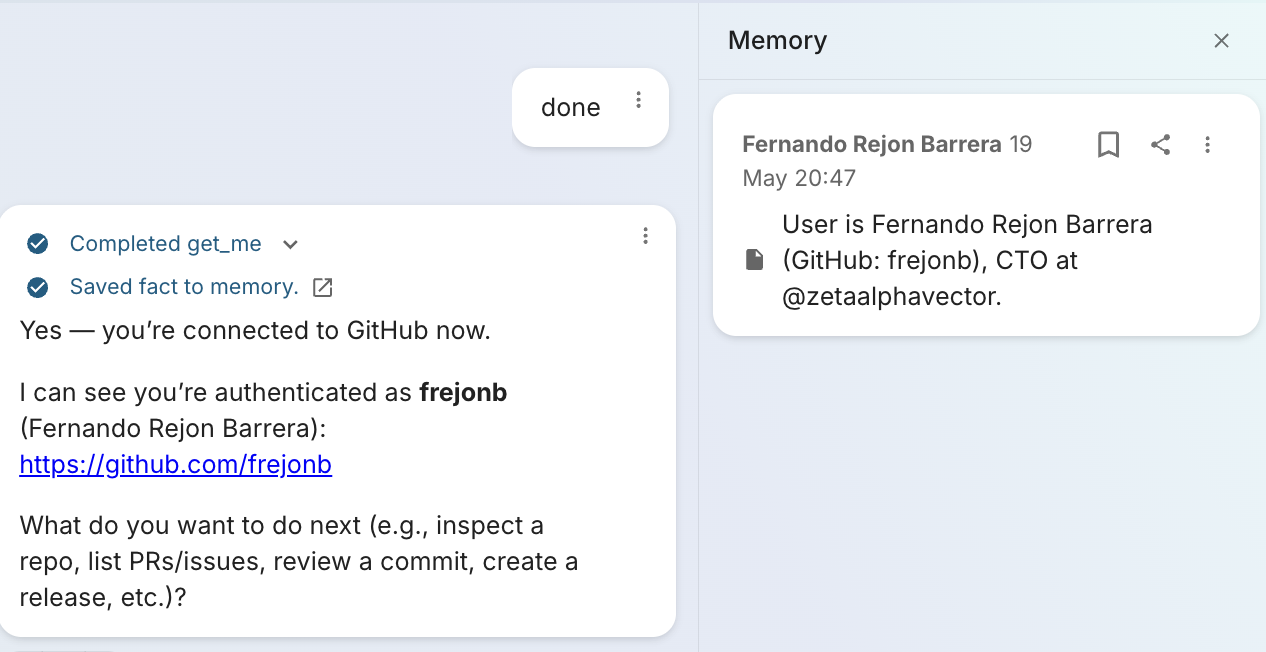
Subsequent calls reuse the stored refresh token until the user revokes the grant on the provider side.
Guides
- HubSpot
- GitHub
- Google Workspace — Gmail, Drive, Calendar, People, Chat
- Slack
- Atlassian — Jira, Confluence, Compass