Sources, Connected Apps and Approvals
Choose what the agent searches in a chat, connect your own accounts in other apps, and approve what the agent does with them.
All three are under Sources and apps, the icon in the strip above the message box. It shows when the agent has sources you can switch or apps you can connect.
Sources
Switch a source off to keep the agent out of it in this chat:
| Source | What the agent searches |
|---|---|
| Internal knowledge | Your organization's documents you have access to |
| My files | Your My documents |
| Web | The internet |
The switches are kept with the conversation and apply to your next chats with the same agent. They can't be changed while an answer runs.
Connected Apps
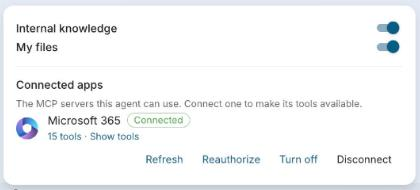
Connected apps lists the apps the agent can use, such as Microsoft 365, Google Workspace or Atlassian. You sign in to each one with your own account, and the agent sees what you can see there.
- Click Connect next to an app, then Authorize. The app's sign-in page opens in a new tab; sign in and approve.
- Back in the chat, the app shows Connected.
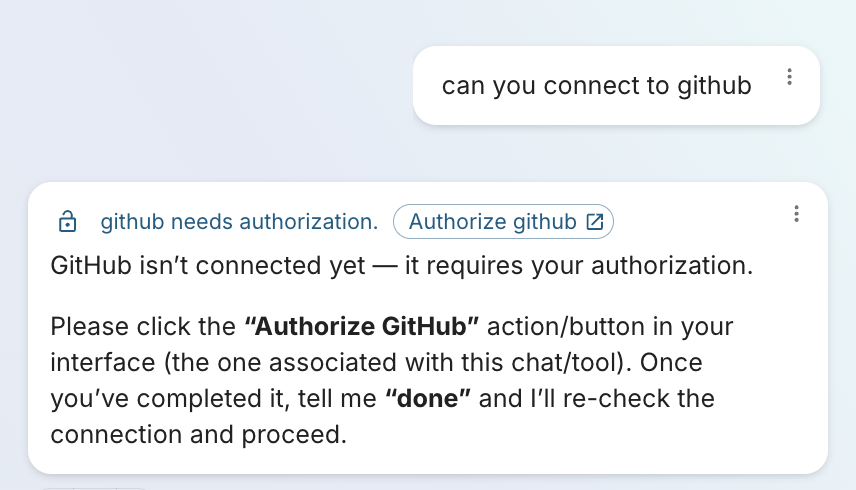
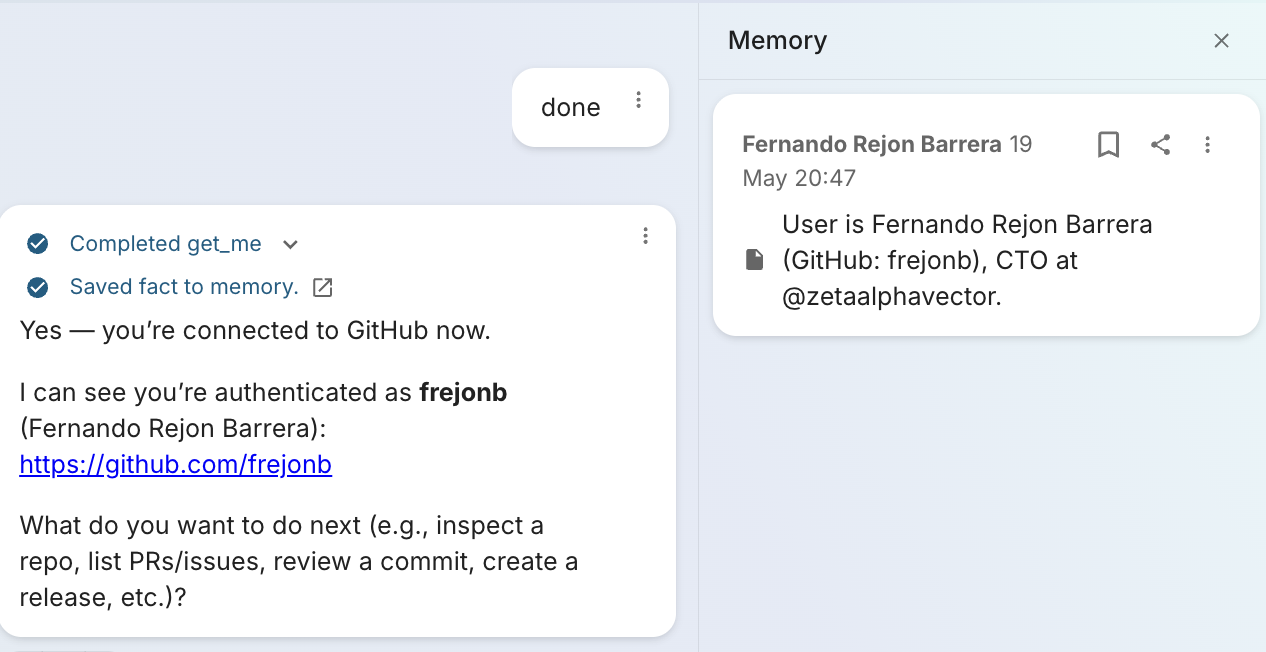
The agent can also ask you to sign in when a request needs an app you have not connected. It shows an Authorize button in the chat; sign in, then tell the agent to continue.
From Connected apps you can also:
| Action | Effect |
|---|---|
| Show tools | Set each of the app's tools to Always allow, Ask first or Off. Tools marked Read-only only read. |
| Refresh | List the app's tools again. |
| Reauthorize | Sign in again, keeping your tool settings. |
| Turn off / Turn on | Keep the agent away from the app without signing out. |
| Disconnect | Sign out of the app. |
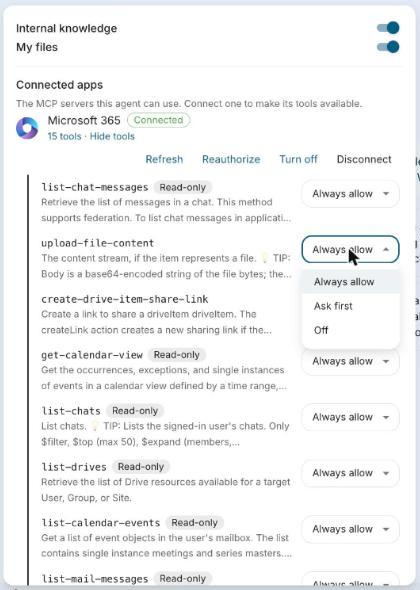
When your organization requires approval for a tool, Always allow is not available for it.
Approving Actions
Before the agent runs a tool set to ask first, such as drafting an email or uploading a file, it shows an approval card with the app, the action and its inputs. You can edit the inputs before you decide:
| Button | Effect |
|---|---|
| Allow once | Runs this call. |
| Always allow in this chat | Runs this call, and this tool runs without asking for the rest of the chat. |
| Deny | The agent continues without it. |
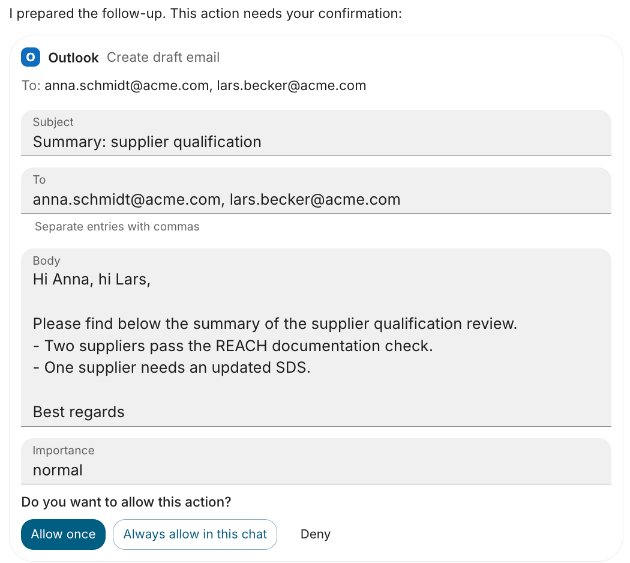
When the agent asks for several actions at once, decide each card; the answer continues once all are decided. Sending a new message instead declines the open cards. A card left unanswered until its answer ends shows Not confirmed.